

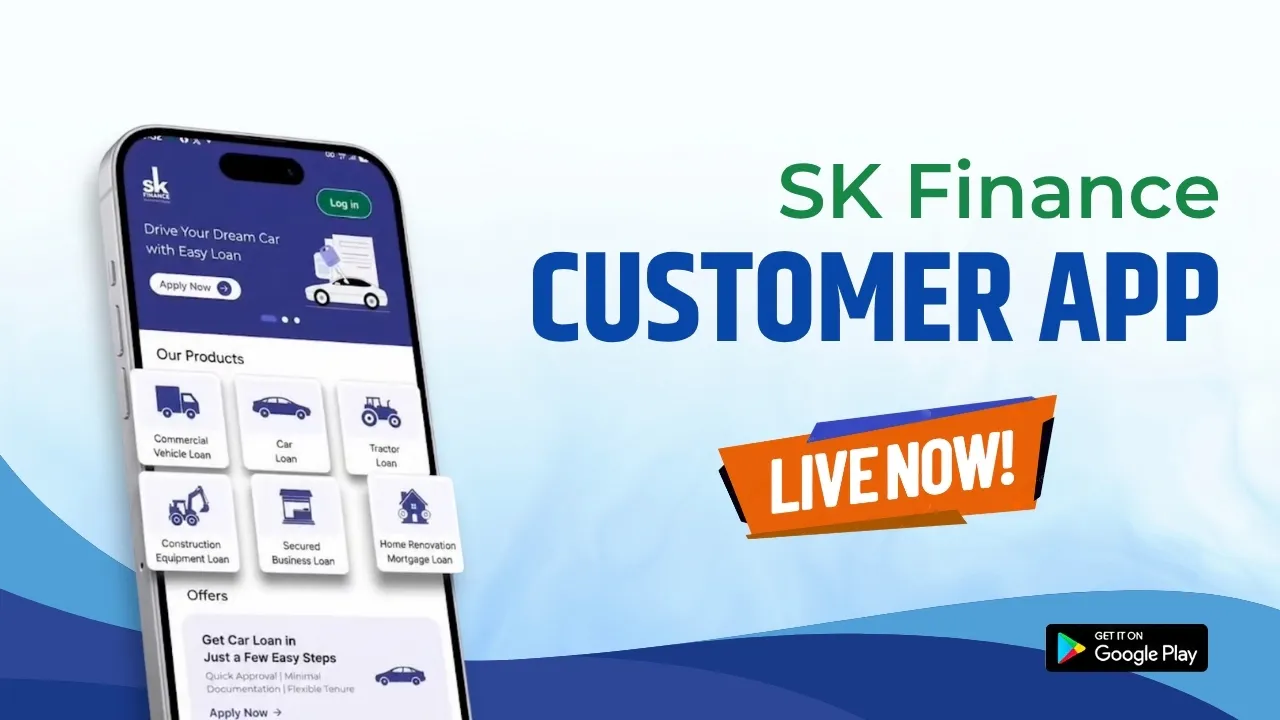
Managing a loan often involves several routine tasks: checking your account, keeping track of EMIs, making repayments, following up on applications and raising service requests when assistance is needed. The new SK Finance Customer App brings these loan-related activities together in one mobile platform, giving customers a digital way to access their loan information, pay EMIs, apply for eligible new loans and manage service requests.
SK Finance App Is Now Live
The SK Finance Customer App is now live on Google Play, giving customers a dedicated mobile platform for managing their loan journey. The current app listing confirms that users can view loan information, pay EMIs online, raise and track service requests, apply digitally for eligible new loans, manage their profile and access referral-related services.
Download the official app:
SK Finance Customer App on Google Play
For an existing borrower, the app brings frequently required loan services into one place. Instead of treating repayment, account information and service requests as completely separate activities, customers can access these functions from their smartphone.
For someone exploring a new loan, the app also provides a digital application route for eligible products. Importantly, applying digitally does not mean automatic approval. A loan application remains subject to the applicable assessment, eligibility requirements, documentation and lending terms. SK Finance’s published application terms state that applications may be approved or rejected at the company’s discretion after assessment.
One App for Your SK Finance Loan Needs
The app is built around the practical tasks customers commonly need after taking a loan or while exploring a new one. These include viewing loan information, making EMI payments, raising service requests, tracking requests and submitting digital applications for supported loan products.
1. Apply for a New Loan
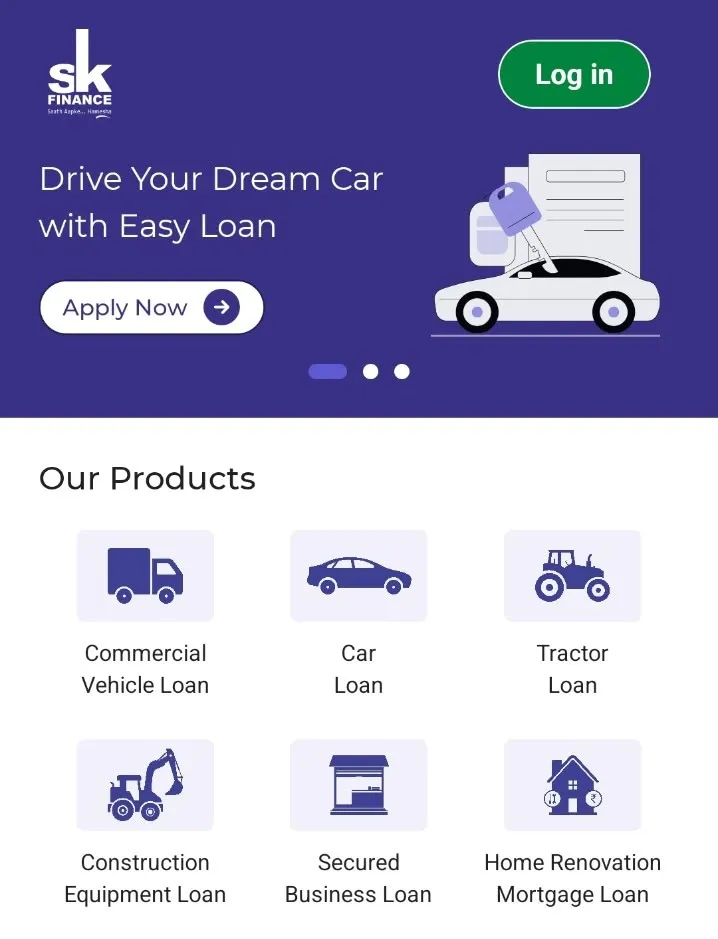
Customers can use the SK Finance loan app to apply digitally for eligible loan products available through the application. The current Google Play listing specifically identifies Commercial Vehicle Loans, Car Loans, Tractor Loans, Construction Equipment Loans, Secured Business Loans and Home Renovation-Mortgage Loans among the products supported for digital application.
This gives prospective borrowers a mobile route to begin the SK Finance loan application process without treating the app as a promise of approval or disbursal.
The distinction matters. A digital application is a channel for submitting a request, not an automatic sanction. SK Finance’s published application terms state that applicants may need to provide information and documents for credit assessment, and that approval depends on the company’s assessment and applicable terms.
2. Pay Your EMI Online
One of the core functions of the app is SK Finance EMI payment, allowing customers to make their EMI payments digitally through the application. The Google Play listing describes the payment journey as secure and convenient and also highlights access to EMI due-date information.
For borrowers, this makes the SK Finance EMI payment online process easier to access from a smartphone, particularly when they want to check their loan information and make a repayment without switching between different services.
Customers should still verify the loan account and payment information displayed before completing a transaction. SK Finance’s website also provides information about other repayment modes, including NACH, UPI, cash and cheque, depending on the applicable process.
Fast, Simple, Minimal Documentation
3. Check Your Loan Details
The SK Finance mobile app gives customers access to important information associated with their loan account. The current Google Play listing specifies loan account summary, outstanding balance, EMI schedule, payment history, loan status and loan account details.
This can be particularly useful when a borrower wants to understand the current position of an account before making an EMI payment or raising a request. Having these details available digitally also reduces the need to search through older documents simply to check routine loan information. Customers can access the information available for their account directly through the app.
4. Track Your Loan Application & Requests
The app also supports service-request management, allowing customers to raise loan-related requests and track their status digitally. The current listing specifically states that service-request status can be tracked in real time.
This creates a clearer digital trail for requests submitted through the app. Instead of relying only on a separate follow-up channel, customers can return to the application to check the status made available for their request.
For loan applications, customers should distinguish between application tracking and approval. Tracking shows the status provided through the digital platform; it does not itself indicate that an application will necessarily be approved or completed within a guaranteed timeframe.
Key Features of SK Finance Customer App
1. Secure Login & Data Security: Login securely using OTP-based authentication and access your loan information with enhanced security controls.
2. Download Loan Documents: Access and download loan statements, repayment schedules, NOCs, and other eligible loan documents digitally.
3. Payment Receipts & Transaction History: View EMI payment history and access payment receipts for completed transactions.
4. Notifications & Alerts: Receive updates on EMI due dates, payment confirmations, loan applications, and service requests.
5. Customer Support: Raise queries and connect with customer support through available contact channels within the app.
How to Get Started With the SK Finance App?
Getting started with the app is straightforward: download the official application, access your account using the supported login process and select the service you need. The current Google Play listing confirms registration and login through a registered mobile number with OTP-based authentication.
1. Download the SK Finance App
For an SK Finance App download, use the official Google Play listing rather than unofficial APK websites or third-party download pages.
Download the SK Finance Customer App from Google Play
Using the official listing also helps ensure that customers are accessing the application published by the intended developer rather than an unrelated or modified file.
2. Register or Log In
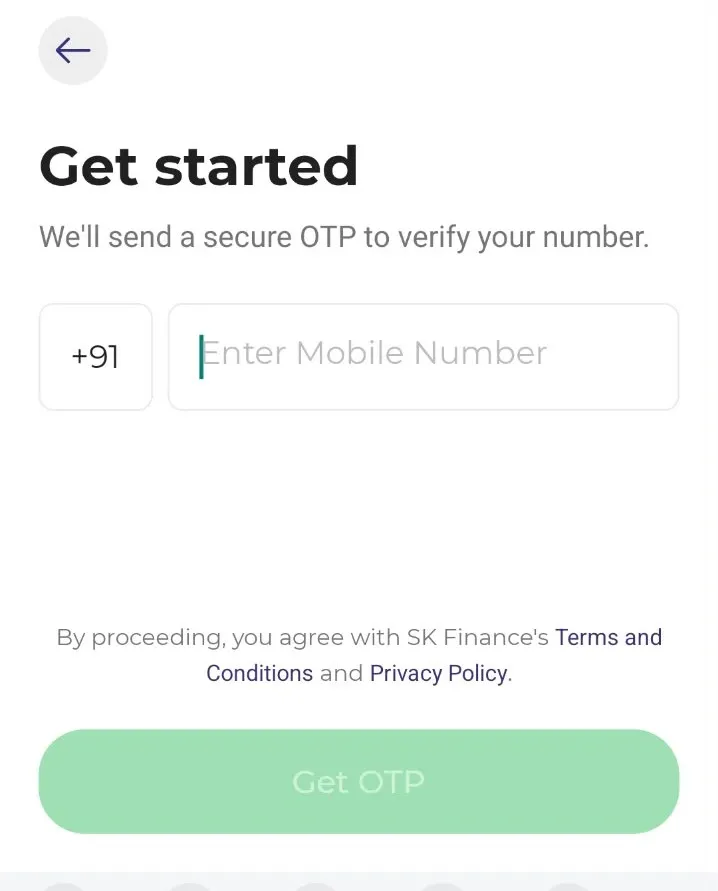
The current app listing states that customers can register and log in using their registered mobile number with OTP-based authentication. Follow the instructions displayed inside the application and use the mobile number associated with your customer account. Avoid sharing OTPs with anyone outside the authorised app or customer-service process.
3. Choose the Service You Need
Once logged in, select the relevant service according to your requirement. Depending on the customer account and available services, this can include viewing loan information, making an EMI payment, applying for an eligible new loan, raising a service request, tracking an existing request, managing profile details or accessing referral-related features.
4. Apply, Pay EMI or Manage Your Loan
The final step depends on what you need to do. A borrower can use the available loan-management functions to review account information, make an EMI payment or raise a service request. Customers seeking a new loan can use the digital application facility for eligible products listed within the app.
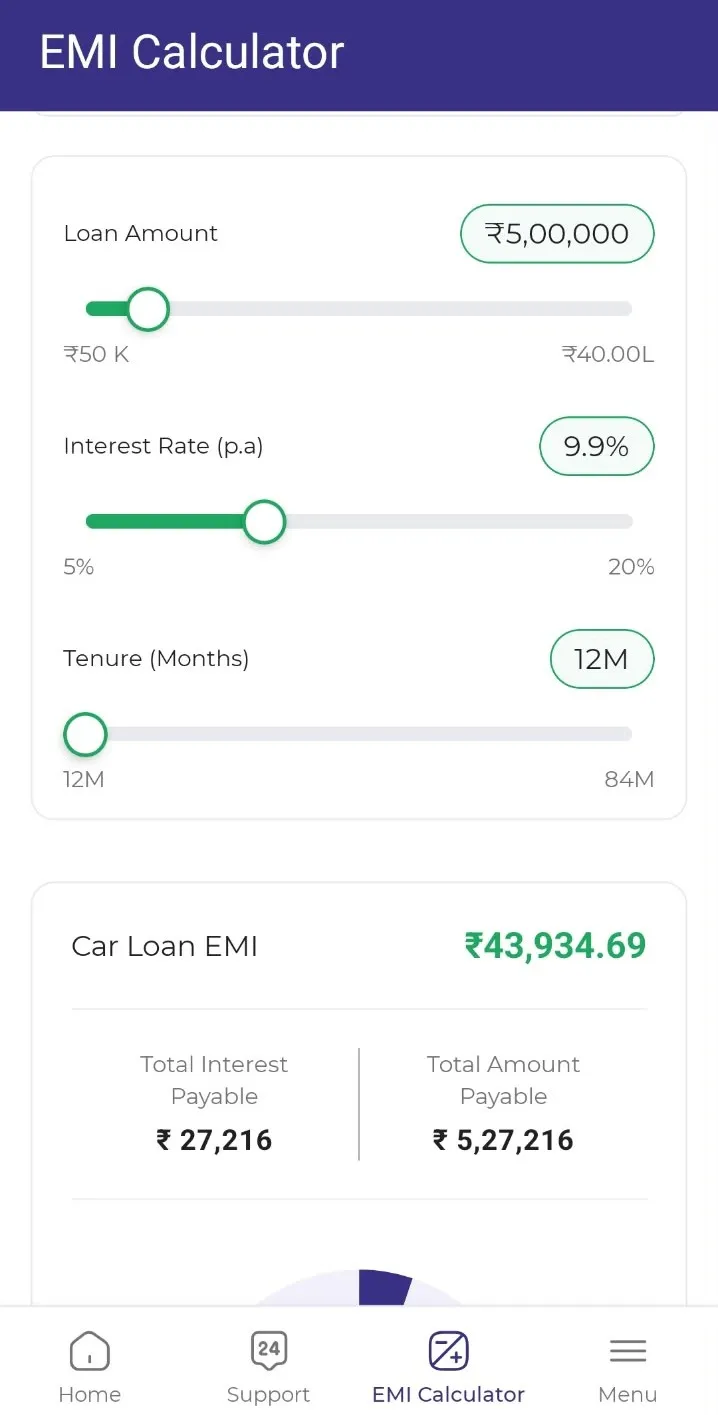
The important point is that the app acts as a digital access point for these services. Loan eligibility, assessment, approval, applicable charges and other lending terms continue to be governed by the relevant product and loan documentation rather than by the mere use of the application.
Already Have an SK Finance Loan? Manage It From the App
Already have an SK Finance loan? The app lets existing customers manage key loan services from their mobile, including checking loan information, viewing EMI details, making online payments and tracking service requests.
- View loan information: Check your available loan account details, including outstanding balance, EMI schedule, payment history and loan status.
- Check EMI details: View the repayment information available for your account.
- Pay EMI: Make your SK Finance EMI payment online through the app.
- Track requests: Raise service requests and check their available status digitally.
- Access available account services: Use the loan-management services enabled for your account.
This gives existing borrowers one digital place for routine loan-related activities, without adding unnecessary steps to simple account-management tasks.
Why Customers Can Use the SK Finance App for Easier Loan Management
The SK Finance Customer App brings commonly used loan services together, making it easier for customers to access their account and complete routine activities through their phone.
- Loan services in one place: Access key loan-related services through one application.
- Convenient EMI payments: Make EMI payments online through the app.
- Digital loan application: Apply for supported loan products through the digital application process.
- Easy access to loan information: Review available loan and repayment details from your account.
- Track applications and service requests: Follow the status information available for submitted requests.
- Mobile-first access to SK Finance services: Manage supported loan services directly from your smart phone.
For borrowers, the practical advantage is straightforward: check, pay, apply and track from one mobile platform. The app makes these services easier to access while keeping loan approval, eligibility and other lending decisions subject to the applicable terms and assessment.
The SK Finance Customer App provides a convenient digital platform for customers to manage their loan requirements anytime and anywhere, subject to applicable product eligibility, terms, and approval processes.
Disclaimer
The information provided in this blog is for general awareness and informational purposes only. For complete details regarding our products and services, please visit the nearest branch.
SK Finance never asks customers to share OTPs, Pins, passwords or provide screen-sharing access through any communication channel.